Submitted to the Shopify App Store · in review
Products your customers make their own.
For engraving and print. With every order, the finished file for your laser, printer or plotter.
Set up a product once. Your shoppers personalize it right in the browser — a name, a photo, their own design — and every order arrives production-ready. No designer, no proofing emails.

Does it work with your products?
Find your product. Next to it: what your customer does and which file you get.
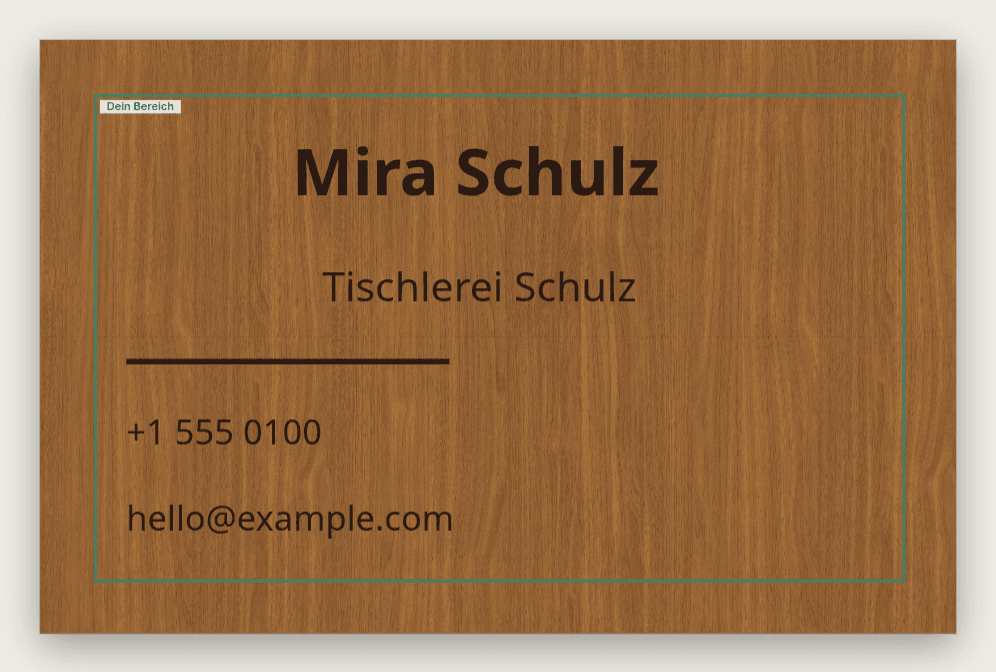
Business card, name tag
What your customer does: types name and title into your template, your layout stays
What you get: one file per order, as XCS for xTool
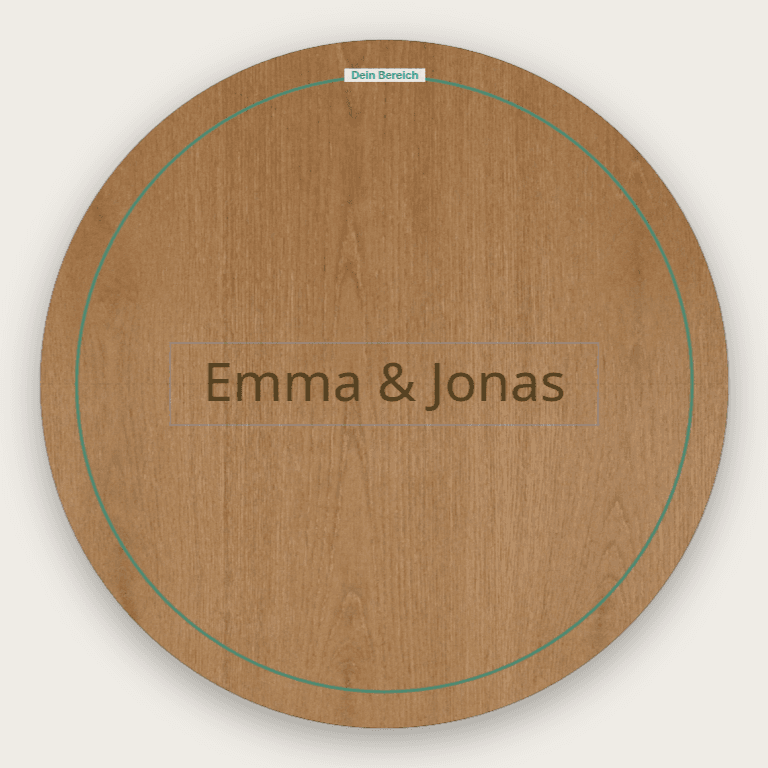
Coaster, tag, door and family sign
What your customer does: writes text or uploads a photo and sees it on wood, acrylic or metal
What you get: XCS or SVG, layers split into engrave, score, cut
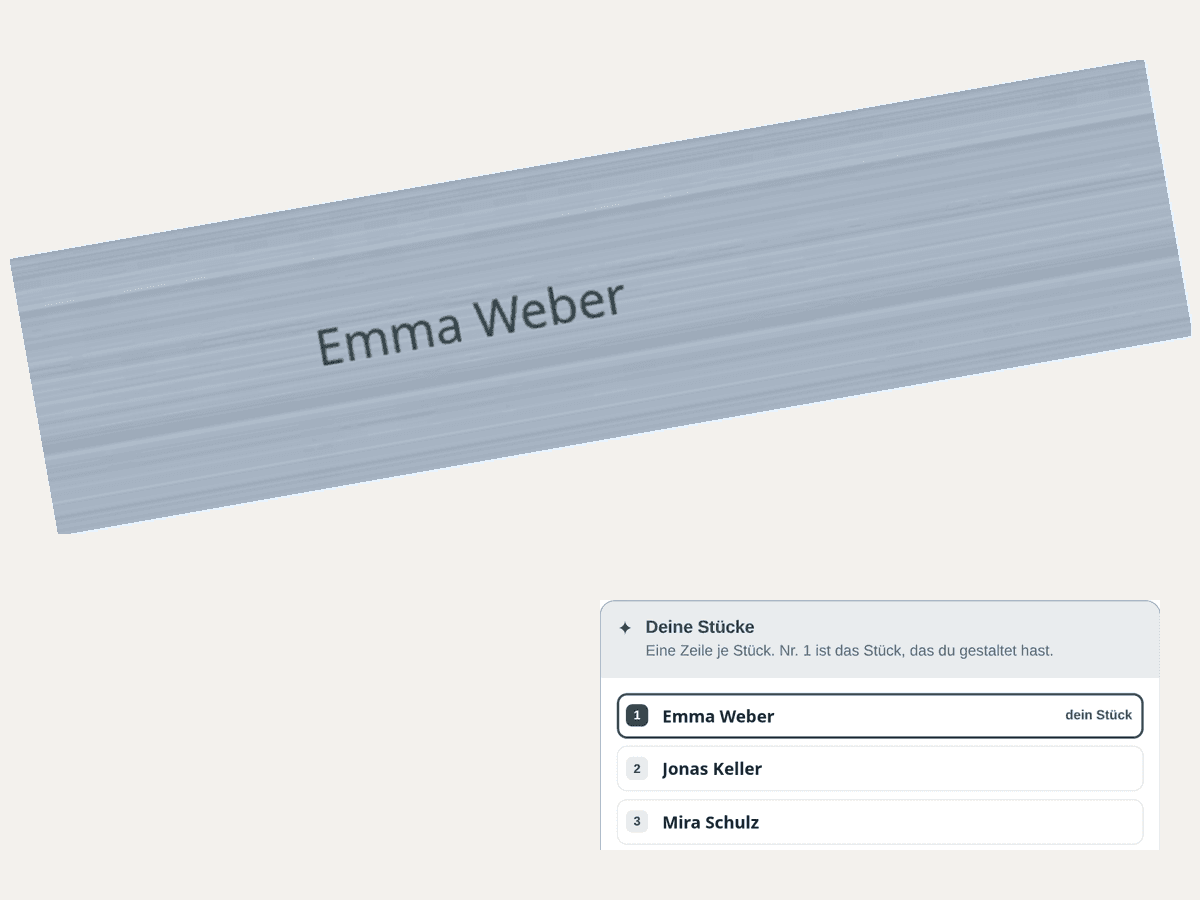
Pens for a company, 500 names
What your customer does: pastes the list of names on the product page
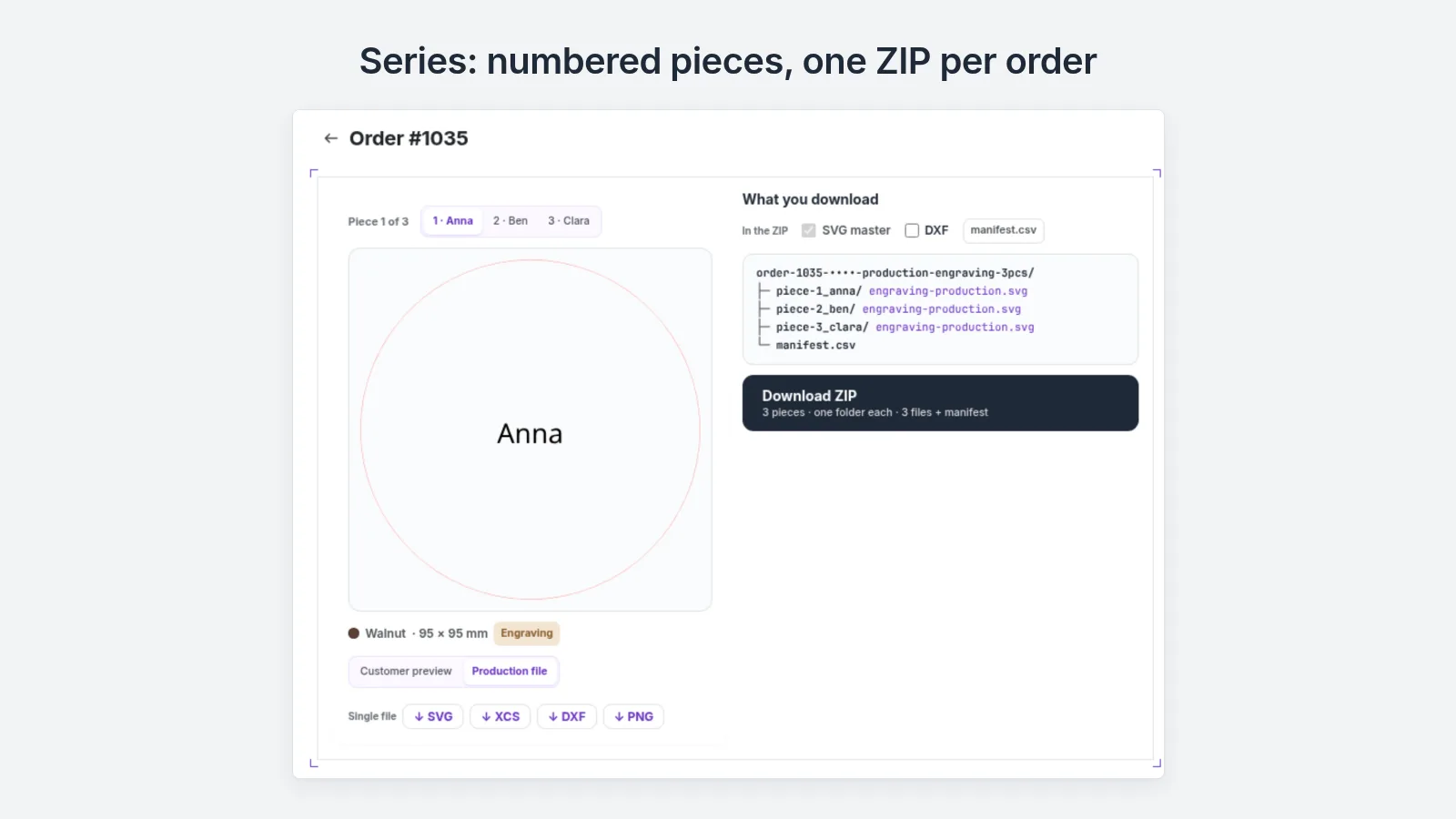
What you get: 500 files in one ZIP
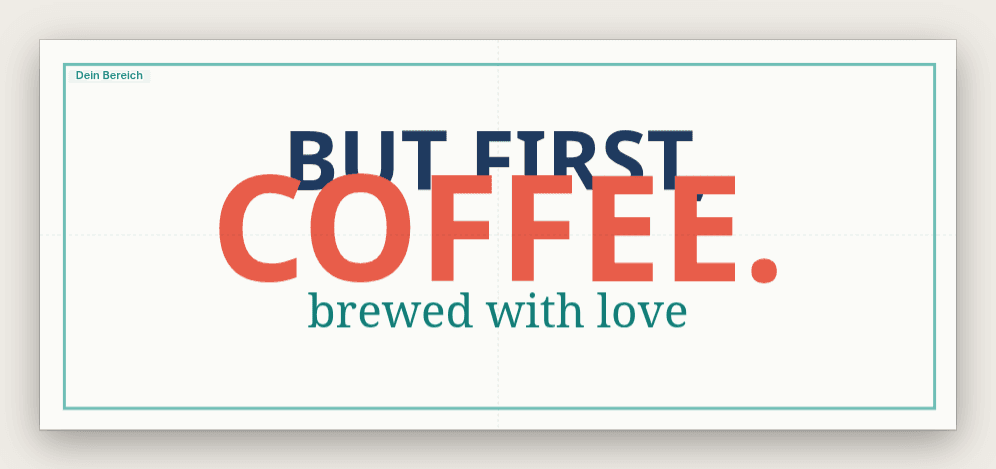
Mug, T-shirt, greeting card, sticker
What your customer does: uploads a photo and adds text
What you get: Print-ready CMYK PDF (PDF/X-1a) for your printer or print shop, with a cut line for stickers
Plus 16 shapes such as dog tags, luggage tags, bookmarks.
Not built for: embroidery and the inside of rings. Mugs get a flat print area (up to 200 × 85 mm on 11 oz), not over the handle.
What does your customer see?
Every screen in the flow — the customer's choice, the designer, the finished production file.
The price shows in the currency of her Shopify market.
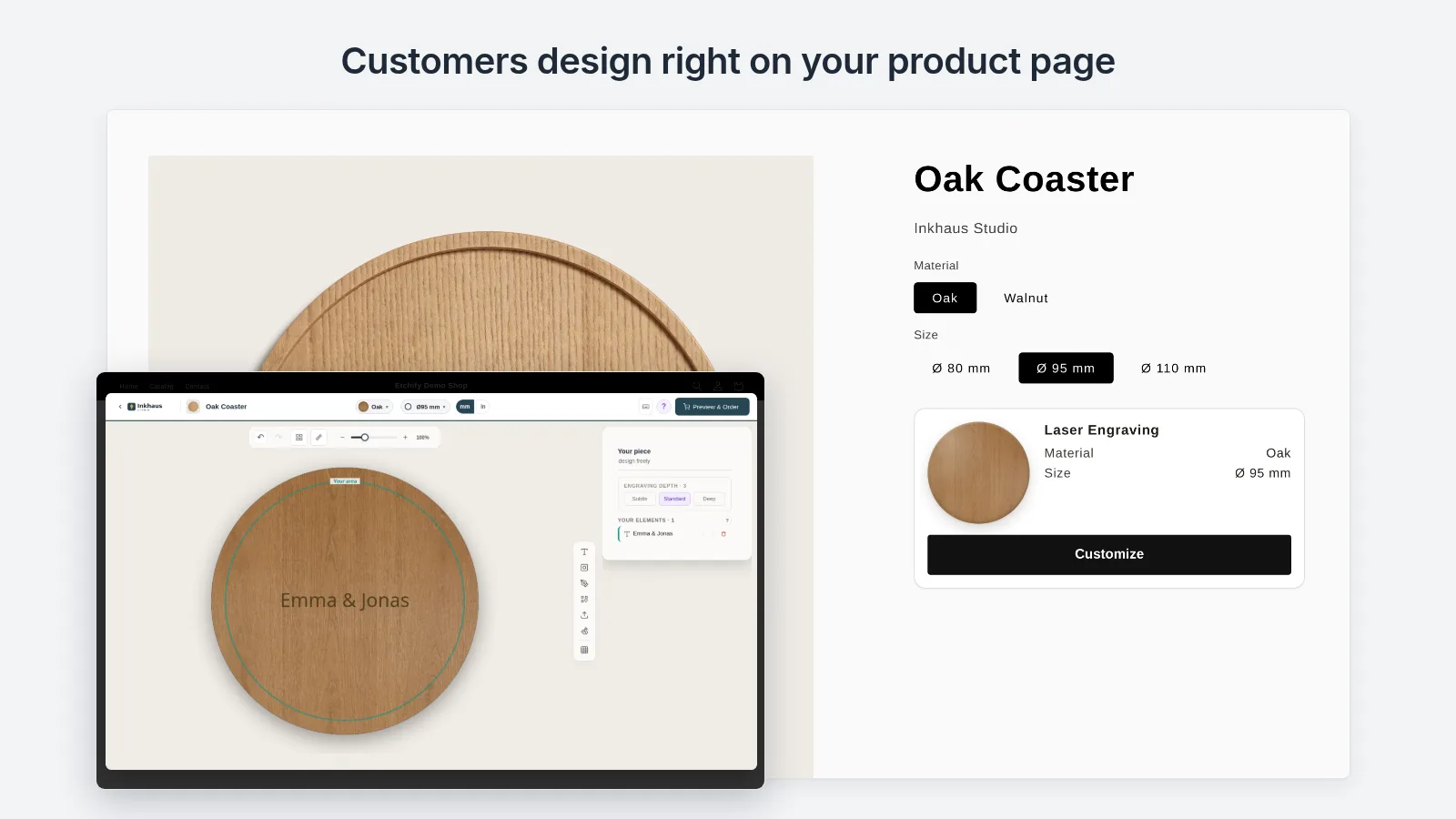
Right on your product page
Etchify adds a Customize button to your product page. The configurator opens right there.

Choose How to Design
Three modes: pick a template, fill in a form, or start from a blank canvas.

Designs in Seconds
Upload a logo, enter a name — QuickFill populates the design in real time. No design skills needed.

Preview Before Ordering
Realistic product preview with material texture. Your customers see exactly what they'll get before adding to cart.
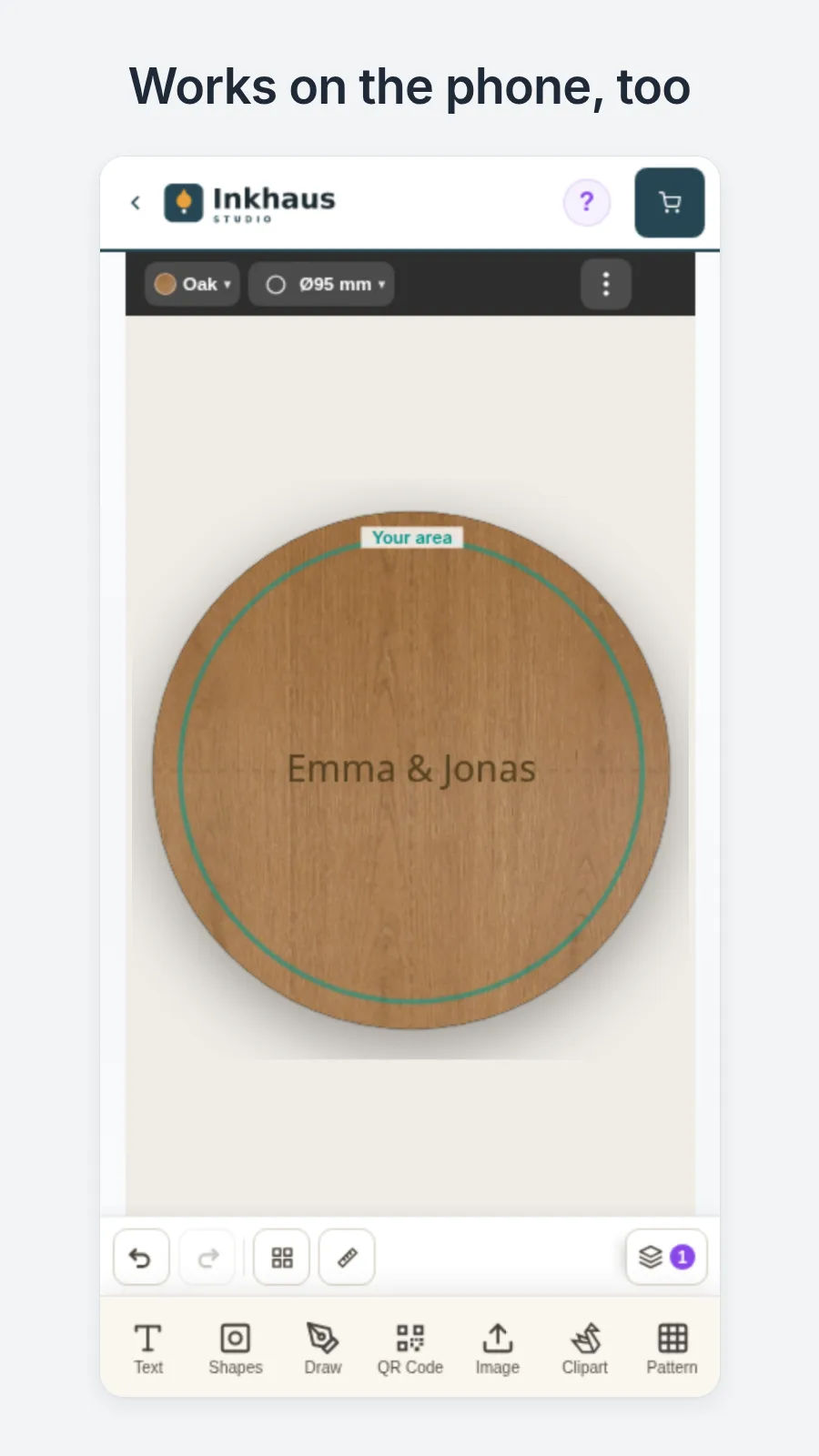
On the phone too
The configurator also runs on a phone.
The whole thing on video
The same flow in motion: from the customer's click to the finished file in your production.
English narration.
What do you get, and what does it save you?
The file for every order in your Shopify admin: XCS for xTool, layered SVG for LightBurn, DXF for CNC, a print-ready CMYK PDF for your printer or print shop, and for stickers the cut line for your plotter.
Production-Ready Files
For every order a ZIP with the file for your program, manifest and material specs — ready to download in your Shopify admin.
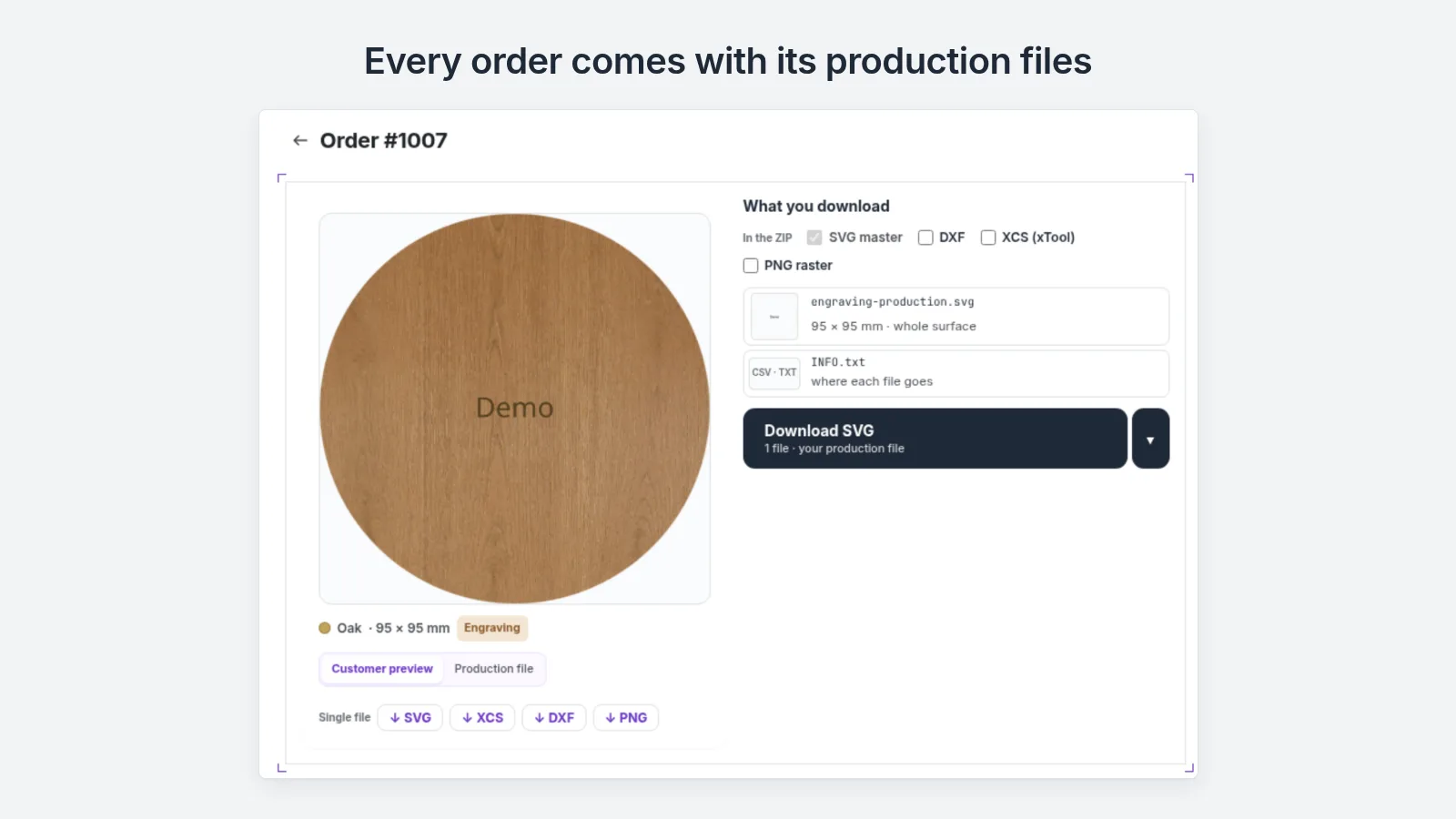
Download a sample file: XCS (oak coaster, for xTool)
What it saves you: you no longer rebuild the file by hand, and you no longer retype a list of names.
Your customer pays the personalization surcharge at checkout.
Canvas Editor with 3 Modes
Customers design in the browser: fill in a template, adjust a template, or start from blank canvas. You decide which mode each product allows.
Engraving & Print in One App
Laser engraving and printing in one tool. The laser gets separate layers, the printer a print-ready colour PDF, the plotter the cut line around the sticker. Plus live preview on wood, metal, leather and acrylic.
Set up without code
One click on "Enable customization", then a guided setup per product: shape, method, materials, sizes, designs, price — all click-based, no code required.
What reaches you
A file your machine opens, for every order.
With xTool you open the file straight in XCS. Layers are already split into engrave, score and cut. For some materials it carries starting values for speed and power; you set the final ones in XCS.
Works with the machines you already own
Etchify writes files these machines read. No new hardware.
- Laser
- xTool · Trotec · Epilog · Glowforge
- CNC
- ShopBot · Carbide 3D
- Roland · Mimaki · Mutoh
- Plotter
- Cricut · Silhouette
Which file for which program is listed above under “What do you get?”.
Small entry. Fair scaling.
Every feature on every plan. The more you sell, the smaller our share: 3.5%, 2% or 1%. Shopify bills apps in US dollars.
14-Day Free Trial Try every feature for 14 days. No credit card required.
Starter
+ 3.5% per Etchify-customized item
Max $25 per item · $10k/mo cap · same on every plan
- Everything below — every feature, on every plan
- 3.5% per Etchify-customized item
- 60 API requests per minute
- Email Support
Pro
+ 2% per Etchify-customized item
Max $25 per item · $10k/mo cap · same on every plan
- Everything in Starter, plus:
- 2% per Etchify-customized item (less as you scale)
- Priority Email Support
Business
+ 1% per Etchify-customized item
Max $25 per item · $10k/mo cap · same on every plan
- Everything in Pro, plus:
- 1% per Etchify-customized item (lowest tier)
- 600 API requests per minute
- First-in-Queue Email Support
Above $2,000 in monthly Etchify-customized sales, Pro costs less than Starter. Above $6,000, Business costs less than Pro. We earn when you earn.
Starter: $9 a month plus 3.5% of each personalized item (net, without shipping and tax). On a $40 item that is $1.40. Never more than $25 per item.
When you uninstall, Shopify deletes all Etchify data 48 hours later. Your orders in Shopify stay. Download the production files as a ZIP beforehand.
You can cancel any time in the settings under “Plan & billing”. The configurator is then switched off for your customers, your products keep selling normally through Shopify, designs and orders stay. No minimum term.
You can also set up your store from ChatGPT or Claude. Changes to products already on sale wait for your approval. More on the AI integration
Every plan includes
Trial and all paid plans ship with the same features. Plans only differ in base price, share per personalized item, support priority and per-minute limits.
- Unlimited Products
- Unlimited Templates
- Unlimited Materials
- Unlimited custom shapes
- All 7 tools: text, shapes, draw, QR code, image, cliparts, patterns
- All 3 modes: fill in a template, adjust a template, design freely
- Configurator on the phone
- Material preview, 3D view for mugs
- Material Color Variants
- Preview on the material
- Remove background, engraving styles, check resolution
- Export formats SVG, PNG, PDF, DXF and ZIP
- XCS (xTool), PDF/X-1a and speed/power values
- CMYK print colours to FOGRA39
- DXF from SVG
- Cutting and die-cutting
- Design the back side
- Series: paste a list of names
- Bleed margin per product
- Template editor with fixed and free fields
- Guided product setup without code
- Order view with the customer design
- AI Integration (ChatGPT, Claude.ai, Claude Desktop, Claude Code)
- 21 AI write tools (products, materials, shapes, templates); products already on sale wait for your approval
- Direct REST API for your own software (Zapier, n8n, custom code)
- GDPR-compliant (all data deleted 48 hours after uninstall)
Need dedicated SLA, multi-store, or custom integration? Contact us at help@etchify.app.
You don't rebuild your store.
Etchify doesn't create products. You take a product that is already in your store and make it customizable. The Customize button arrives as a theme app block on the product page, with no theme code to edit. You switch Etchify on product by product. Everything else in your store stays as it is.
Already using another app? Here is what to compare.Three steps to a finished order.
Set Up Products
Pick a product, hit "Enable customization" and follow the guided setup: materials, sizes, designs, price.
Customers Design
Your customers open the configurator, create their design and add it to the cart.
You Produce
You download the file for the order in your Shopify admin — for your program, as described above under “What do you get?”.
Frequently Asked Questions
Everything you need to know about Etchify.
No. You switch Etchify on product by product. Everything else in your store stays as it is: other products and text fields keep working. Two personalization apps on the same product are untested; we advise against it.
In your Shopify admin, on every order, ready to download.
SVG (vector for laser, CNC, plotter), PNG (300dpi for print), print-ready PDF, DXF (for CNC machines), CMYK-TIFF (FOGRA39), native xTool XCS and PDF/X-1a — on every plan, trial included. Everything arrives as a ZIP bundle with manifest and material specs. You download the production files for each order in your Shopify admin — customers never get access to them.
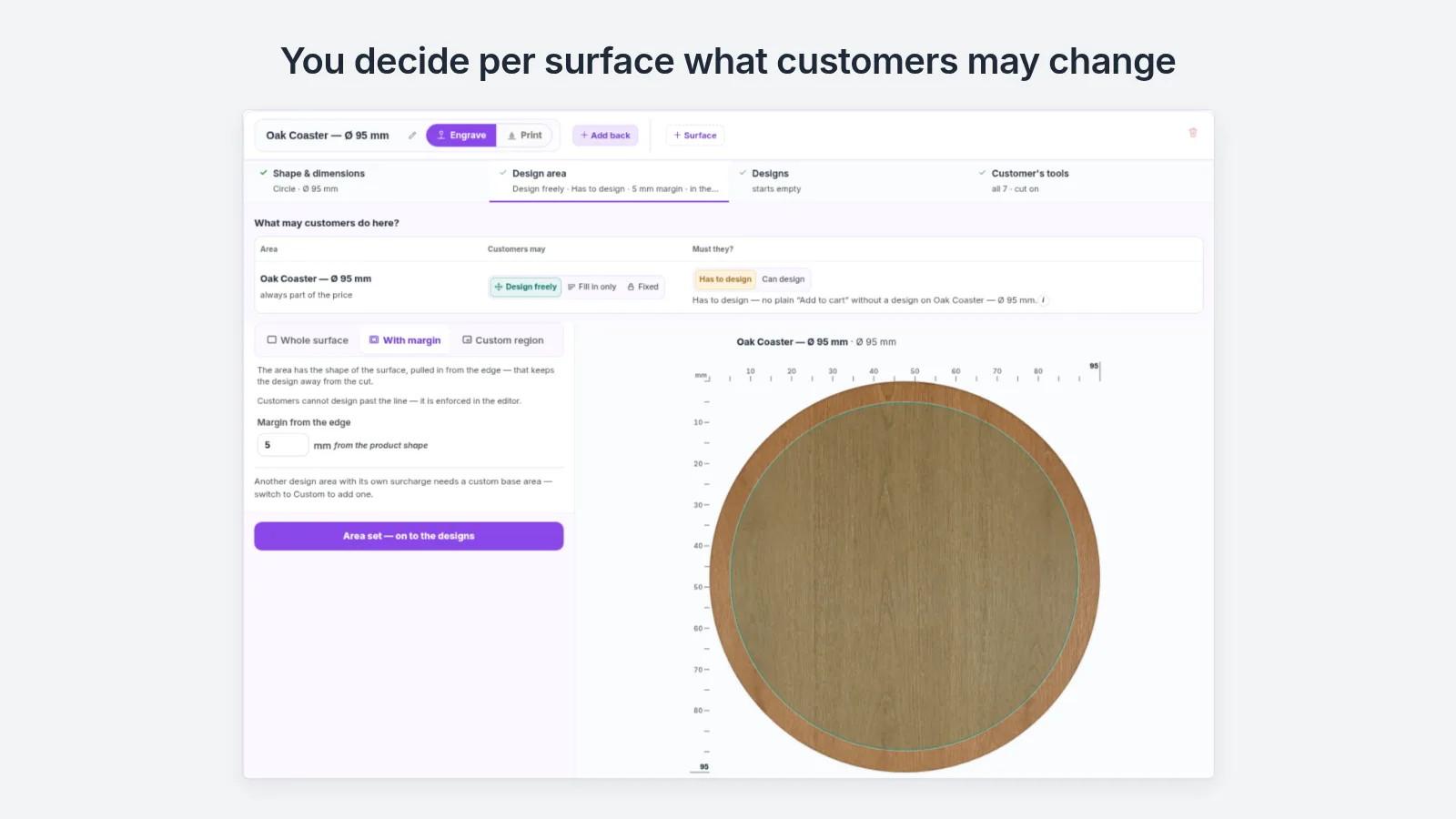
A product has one method; each surface can use a different one.
Etchify writes files your machine reads: lasers (xTool, Trotec, Epilog, Glowforge), CNC mills (ShopBot, Carbide), printers (Roland, Mimaki, Mutoh) and plotters (Cricut, Silhouette). You set the laser parameters in XCS or LightBurn.
Etchify installs a Theme App Block in your shop. A “Customize” button appears on the product page — the customer clicks, the configurator opens. Works with all Shopify Online Store 2.0 themes and also runs on a phone.
Pick a product and hit "Enable customization" — a guided setup then walks you through shape, production method, materials, sizes, designs and pricing. Everything is UI-based, no code required.
Yes. Etchify automatically inherits your Shopify theme tokens — fonts, colors, and spacing follow whatever your storefront already uses. The customer-facing configurator never shows external Etchify chrome on top of your storefront.
Every plan includes unlimited products, templates, materials, and custom shapes — we earn a small percentage when your customers buy, so we want you to scale freely. The only technical limit is the API rate-limit: 60 requests/minute on Starter and Pro, 600 requests/minute on Business and trial. The per-item usage fee is capped at $25, and the total monthly bill is capped at $10,000 across all plans. Need dedicated SLA, multi-store, or custom integration? Email help@etchify.app for enterprise pricing.
You can cancel any time in the settings under “Plan & billing”. The configurator is then switched off for your customers, your products keep selling normally through Shopify, designs and orders stay. No minimum term.
Yes. All GDPR webhooks (customers/data_request, customers/redact, shop/redact) are implemented. Data is stored in Supabase (PostgreSQL, EU region), images and production files in EU storage. When you uninstall, Shopify deletes all Etchify data 48 hours later (shop/redact). Your orders in Shopify stay; download the production files as a ZIP beforehand.
Etchify is the Shopify app where your customers design engravings and prints themselves directly in their browser — and you get production-ready files for your machines. No designer, no email ping-pong, no separate tool-stack.
Another question? Email help@etchify.app — our small team answers every message.
Early access
Be there when Etchify goes live.
Not on the Shopify App Store yet
Drop your email and we'll send a quick note the moment we hit the Shopify App Store.
Double opt-in. No spam. Unsubscribe with one click.